Your whole year
on one page.
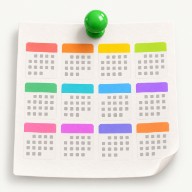
Work, family and everything in between, on one page everyone can see. Meetings, trips, birthdays and habits, at a glance.
board meeting 9am, pizza night 7pm. both on there.Eight things to know, about five seconds each
Each step is a short loop of the real app. No sound, no video player, no waiting.
Click any day to add an event
Give it a name, pick a colour, done. Use colours to mean something: work, trips, birthdays, goals.
Drag across days for trips and projects
Conferences, holidays, sprints, a visit from the in-laws. Drag across the days it covers and it shows up as one bar, exactly as long as it lasted.
Track habits and see your real consistency
Gym, reading, inbox zero. Tick them off each day and the heatmap fills in across the year. Rest days count too.
Describe a sticker, and AI draws it
"A tiny plane", "a trophy for my first 10k". Stickers mark the days worth remembering and go into your own library to reuse.
 birthday cake×
 little airplane×
 gold race medal×
 rocket launch×
New Sticker
Have multiple calendars, and see them together
Give work, family and training a calendar each, so every part of your life has its own clean plan and its own record of what happened. Tick two or more to view them merged: each item keeps a coloured dot for its calendar, and anything double-booked stacks up on the same days where you can't miss it.
Big screens first, but it works on your phone too
Really Big Calendar is built for big screens and even bigger plans. When you're out, open it on your phone: swipe between months, tap a day to add something, and it's on your desktop when you get back.
Share your calendar, read-only
Invite someone by email and your calendar shows up in their account, read-only. Let family see what you've got planned, or show colleagues when you're free, without handing over the pen. They accept with one click, and you can revoke access whenever you like.
Alex has shared their calendar with you.
Share Your Calendar
Alex has shared their calendar with you.
ClosePark ideas until they have a date
Got a plan with no date yet? Drop it in the ideas row. When the time comes, drag it onto the calendar. Nothing gets forgotten.
Room for everyone's plans
Serious enough for the work calendar, friendly enough for the whole household.
Your year at a glance
All 12 months on one page. No clicking through month by month.
Multi-day events
Trips, sprints and visits as one bar across the days they cover.
Habit tracking
A heatmap that shows how consistent you really were, rest days included.
AI stickers
Describe a sticker and get custom art for the days worth remembering.
Ideas parking lot
Hold plans without a date, then drag them onto the calendar later.
Labels and filtering
Tag work, personal or fitness and toggle labels to see only what matters now.
Up to 20 calendars
Work, family, each project. Switch between them in one click.
Recurring items
Weekly meetings, monthly bills, daily routines, repeated across the year.
Export and import
Download your whole calendar as JSON any time. Your data is yours.
Free for one calendar. $2 a month for everything.
Free
- One calendar
- Events, multi-day items, habits and ideas
- 3 AI-generated stickers
- Export and import
Paid
Billed annually at $24
- Up to 20 calendars for work, family, projects and fitness
- Unlimited AI stickers
- AI agents and API access
- Everything in Free
less than one takeaway coffee a month
Questions, answered
Is Really Big Calendar free?
Yes, for one calendar. Events, multi-day items, habits, ideas and 3 AI stickers are all free. The Paid plan is $2 a month, billed annually at $24, and adds up to 20 calendars, unlimited stickers and AI agents.
Can I use it for work?
Yes. Many people keep a work calendar and a personal one side by side, with labels for projects and recurring items for standing meetings. You can filter to just the work labels when you need to focus.
Do I need to install anything?
No. It runs in your browser on desktop, tablet and phone, and your data syncs across devices.
Can the family see it too?
Yes. Invite people by email to see a read-only version of your year, so everyone knows what's on without asking.
How do AI agents work?
On the Paid plan you create a personal API key and connect it to an MCP-compatible assistant such as Claude, Codex or Cursor. The assistant can then read and add events for you. You can revoke the key at any time.
Is my data private?
Your calendar is private by default. Only you can see it unless you invite someone. We don't sell or share your information.
See your whole year at a glance.
Start with one calendar for free. Add the meetings, the trips and the birthdays, and share it with the people who need to see it.
